Our Company...
Resources...
TealAuto TM Complete Car Care
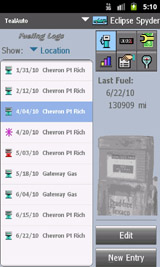
Save fuel and track automobile mileage, service, and expenses with TealAuto, the complete log book for your car or
any vehicle. With extensive customization options, TealAuto is unmatched in features and functionality.
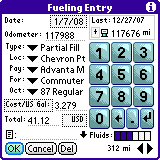
Use TealAuto to record all your car, truck, or motorcycle fueling, trips, and service stops, and then
generate reports and graphs based on those records.
Unique features include an unlimited number of vehicles, mixed currencies and units, extensive customization options,
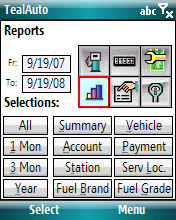
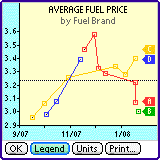
fueling entries, trip records, service reminders, line graphs, bar charts,
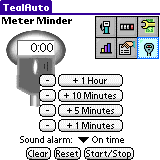
summary reports, comparison reports, a parking meter reminder, and data
importing and exporting to text files, CSV files, Doc files, and MemoPad entries.
TealAuto is available for Android, WebOS, Windows Mobile, PalmOS, and as a desktop version for Windows PC.
DIRECT DOWNLOADS
LEGACY VERSIONS (UNSUPPORTED)
ANDROID/WEBOS: WINDOWS MOBILE: WINDOWS DESKTOP PC: PALMOS:
Enhanced with special support for: PocketPC Yes Palm Pre Yes Palm Pixi Yes WebOS Yes PalmOS 3 Yes Palm Hi-res Yes Palm Full screen Yes Palm Landscape Yes PalmOS 4 Yes Sony Hi-res Yes Sony Full screen Yes Sony Landscape Yes PalmOS 5 Yes HandEra Hi-res Yes HandEra Full screen Yes Dana Wide screen Yes 5-Way Nav Yes Jog Dial Yes Samsung Full screen Yes SD/CF/MS cards Yes
Recent Updates: Version 2.38.00 - February 1, 2026 (Android)
Fixes crash opening menu on modern high-resolution devices
Version 2.36.31 - September 29, 2013 (Android)
Fixes saving of font size
Greatly increases speed of charting on high resolution devices
Greatly increases speed of keyboard, progress bar, and file selection screens
Added PDF Manual via menu
Version 2.36.20 - September 11, 2013 (Android)
Added support for devices with hires displays (fixes launching issues and added new larger fonts and icons)
Added vibration support in keyboard
Fixed activity scheduling issues so app resumes correctly when re-launched
Fixed SD Card support in Jellybean so user can navigate to root of SD Card volume
Fixed form caching so screens only recalculate the first time they open
Improved the appearance, speed and responsiveness of keyboard and various UI elements.
Version 2.36.01 - November 27, 2011 (Android)
Added support for date format set in Android settings
Fixed virtual keyboard to respond to delete key
Fixed virtual keyboard to respond to taps in text field
Version 2.36.00 - October 9, 2011 (Android)
New release for Android Gingerbread (2.3)
Version 2.36 - April 14, 2011
Fixed crash when trying to edit services for a newly created vehicle prior to saving changes
Version 2.31 - October 25, 2010 (webOS)
Added antialiased fonts
Added much faster responsiveness and screen updating
Version 2.29 - September 19, 2010 (webOS)
Added last service info to summary reports
Fixed 2-press symbol shift handling for '0' key
Fixed updating of stats when odometer entries changed with unshifted phone keypad
Fixed CSV import from write-protected USB volumes (due to bug in webOS 1.4.5 updater)
Fixed odometer digits on text entry screens to pay attention to digit preferences
Version 2.25 - August 20, 2010 (webOS)
Added ability to import TealAuto 1.0 files from an arbitrary volume or folder
Added Import option to import TealAuto 2.0 files from an arbitrary volume or folder
Added ability to save reports to an email (webOS only)
Fixed synchronization to work when Device ID contains unusual characters
Fixed saving of notes for existing entries
WebOS - new version for this platform
Windows Mobile - fixed to save settings when app is minimized
Windows Mobile - updated click sound with quieter version
Windows Mobile - fixed dates to display properly if system prefs set for non-numeric date format
Windows Desktop - updated to better detect and use windows system colors
Windows Desktop - Improved text layout to better support large font settings
Version 2.21 - July 6, 2010
Fixed synchronization to work when Device ID contains unusual characters
Fixed saving of notes for existing entries
WebOS - new version for this platform
Windows Mobile - fixed to save settings when app is minimized
Windows Mobile - fixed dates to display properly if non-numeric format chosen in system prefs
Windows Mobile - improved feedback click sound with quieter version
Windows Desktop - updated to better detect and use windows system colors
Windows Desktop - improved text layout to better support large font settings